Northern Overwatch
No Result
View All Result
  • Login
PRICING
  • Editorial
  • News
    • Critical Infrastructure
    • Data Breaches
    • Ransomware & Malware
    • Telecom & ISP Incidents
    • Government & Regulation
    • Updates & Follow-ups
  • Investigations
    • Featured Investigations
    • Surveillance & Power
    • Corporate Accountability
  • Impact on Canadians
    • Breach Consequences
    • What It Means for You
  • Privacy How-To
    • Getting Started
    • Devices & Apps
    • Advanced Privacy
  • Cyber Law & Policy
    • Your Rights as a Canadian
    • Surveillance & Lawful Access
    • Telecom Regulations
  • Recommendations
    • Books & Resources
    • Software & Tools
    • Hardware & Devices
  • Archives
  • Editorial
  • News
    • Critical Infrastructure
    • Data Breaches
    • Ransomware & Malware
    • Telecom & ISP Incidents
    • Government & Regulation
    • Updates & Follow-ups
  • Investigations
    • Featured Investigations
    • Surveillance & Power
    • Corporate Accountability
  • Impact on Canadians
    • Breach Consequences
    • What It Means for You
  • Privacy How-To
    • Getting Started
    • Devices & Apps
    • Advanced Privacy
  • Cyber Law & Policy
    • Your Rights as a Canadian
    • Surveillance & Lawful Access
    • Telecom Regulations
  • Recommendations
    • Books & Resources
    • Software & Tools
    • Hardware & Devices
  • Archives
No Result
View All Result
Northern Overwatch
No Result
View All Result
Home Recommendations

Securing Your Laptop or PC: The First Privacy Settings Everyone Should Enable

A practical, no-nonsense guide to locking down your computer before privacy problems start.

C0ld Signal by C0ld Signal
February 12, 2026
Reading Time: 2 mins read
0
Infographic showing a laptop protected by a shield, surrounded by icons representing updates, encryption, firewall, account security, and app management.

Securing your device starts with enabling core system protections and reviewing access controls.

1. Why This Matters

A poorly secured computer doesn’t just risk malware infections. It can quietly leak personal data through outdated software, weak account protection, or overly permissive apps. Many major breaches and identity theft cases begin with a compromised personal device—not sophisticated hacking.

RELATED POSTS

Bitdefender Review: Solid Protection Without the Headaches


2. Keep Your Operating System Updated

Operating system updates are not optional.

  • Enable automatic updates on Windows, macOS, or Linux
  • Restart promptly when updates are installed

Updates often patch known security vulnerabilities that are actively exploited. Delaying them leaves your system exposed.


3. Secure Your User Account

Your login is your first line of defense.

  • Use a strong, unique password
  • Enable full-disk encryption (BitLocker on Windows, FileVault on macOS)
  • Use a standard user account for daily use, not an administrator account

Disk encryption ensures that if your device is lost or stolen, the data remains inaccessible.
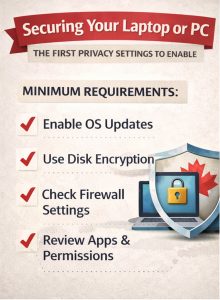
 

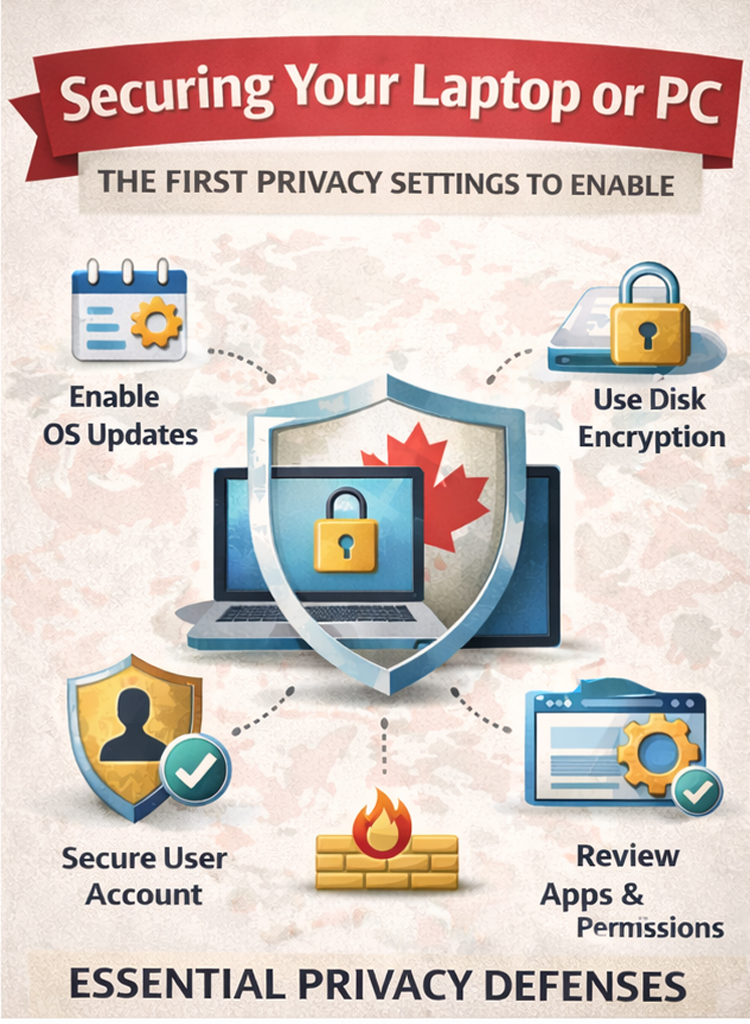
Checklist infographic showing essential privacy settings including OS updates, disk encryption, firewall, secure account, and app permissions.
A simple checklist of the first privacy and security settings every computer user should enable.


4. Enable and Check Your Firewall

Firewalls block unauthorized connections.

  • Confirm the built-in firewall is enabled
  • Avoid installing multiple firewalls at once

For most users, the default firewall is sufficient when properly enabled.


5. Choose a Privacy-Respecting Browser

Your browser sees almost everything you do online.

  • Prefer browsers with built-in tracking protection
  • Disable unnecessary extensions
  • Review site permissions regularly

The browser is often the largest source of data leakage on a computer.


6. Review App Permissions and Remove What You Don’t Use

Installed software can access more than you think.

  • Remove unused applications
  • Review camera, microphone, and file access permissions
  • Be cautious with “free” utilities

Fewer apps mean fewer risks.


Quick Checklist

  • OS updates enabled
  • Disk encryption on
  • Firewall active
  • Secure user account
  • Privacy-focused browser
  • Unnecessary apps removed
Tags: CybersecurityPrivacy ToolsPublic InterestSoftware
ShareTweetPin
Previous Post

Privacy Is Not a Crime: Why Wanting Digital Privacy Doesn’t Make You a Suspect

C0ld Signal

C0ld Signal

Related Posts

BitDefender Antivirus in action
Recommendations

Bitdefender Review: Solid Protection Without the Headaches

January 26, 2026
Please login to join discussion

Recommended Stories

The structure of Cyber Law in Canada

Cyber Law in Canada: Who Protects You, Under What Law, and How It Actually Works

January 26, 2026
LifeLabs sign outside a medical laboratory location in Canada, representing the LifeLabs data breach and patient privacy concerns

Why U.S. Ownership of Canadian Health Data Should Alarm Every Canadian

January 25, 2026
Visual representation of the Sky Global case, an international investigation involving encrypted devices, cross-border law enforcement, and Canadian privacy concerns.

SkyGlobal – An investigation into power, privacy and surveillance

January 24, 2026

Popular Stories

  • North Perth Hit by WorldLe@ks Data-Theft Operation

    North Perth Hit by WorldLe@ks Data-Theft Operation

    0 shares
    Share 0 Tweet 0
  • What Canadian ISPs Log – and For How Long

    0 shares
    Share 0 Tweet 0
  • Why Northern Overwatch Exists

    0 shares
    Share 0 Tweet 0
  • SkyGlobal – An investigation into power, privacy and surveillance

    0 shares
    Share 0 Tweet 0
  • When Your Medical Data Leaks, There’s No Recall Button

    0 shares
    Share 0 Tweet 0
Northern Overwatch Logo

Northern Overwatch is a Canadian investigative publication examining cybersecurity, privacy, surveillance, and digital power. We explain complex cyber incidents, laws, and technologies in plain English, exposing how they affect real people — and defending the right to privacy in an increasingly monitored world.

Recent Posts

  • Securing Your Laptop or PC: The First Privacy Settings Everyone Should Enable
  • Privacy Is Not a Crime: Why Wanting Digital Privacy Doesn’t Make You a Suspect
  • Sky Global – The Company That Defied Surveillance And Built Building a Private Network

ARTICLES

  • Archives
  • Cyber Law & Policy
    • Telecom Regulations
    • Your Rights as a Canadian
  • Editorial
  • Impact on Canadians
    • Breach Consequences
    • What It Means for You
  • Investigations
    • Featured Investigations
    • Surveillance & Power
  • Latest News
    • Data Breaches
  • Privacy How-To
    • Getting Started
  • Recommendations
    • Software & Tools

USEFUL LINKS

About Us

© 2025 Northern Overwatch - From the North — for those who still value privacy. A CanHack publication.

Welcome Back!

Login to your account below

Forgotten Password?

Retrieve your password

Please enter your username or email address to reset your password.

Log In
No Result
View All Result
  • Editorial
  • News
    • Critical Infrastructure
    • Data Breaches
    • Ransomware & Malware
    • Telecom & ISP Incidents
    • Government & Regulation
    • Updates & Follow-ups
  • Investigations
    • Featured Investigations
    • Surveillance & Power
    • Corporate Accountability
  • Impact on Canadians
    • Breach Consequences
    • What It Means for You
  • Privacy How-To
    • Getting Started
    • Devices & Apps
    • Advanced Privacy
  • Cyber Law & Policy
    • Your Rights as a Canadian
    • Surveillance & Lawful Access
    • Telecom Regulations
  • Recommendations
    • Books & Resources
    • Hardware & Devices
    • Software & Tools
  • Archives

© 2025 Northern Overwatch - From the North — for those who still value privacy. A CanHack publication.

Are you sure want to unlock this post?
Unlock left : 0
Are you sure want to cancel subscription?